

Proof of Income Documents for Self-Employed People and Limited Company Directors
If you are self-employed or a director of a limited company, the lender will take your income from your annual tax return. Bear in mind that the lender goes by the income you declared for tax, not by your business's turnover.
At a glance:
- 2 years - the usual minimum trading history
- SA302 - the key document
- HMRC - where the documents come from
- 72 hours - how long after filing before you can print the Tax Year Overview
How many years of trading do lenders require?
Most lenders require at least two years of trading, but we also work with lenders where one full year is enough. If you have been trading for more than a year, we need your tax returns for the last two tax years. If you have been trading for only one year, your latest tax return is enough.
Documents you need
You need two documents for each tax year separately:
Tax Calculation (SA302)
One for each tax year. You can get it:
- from your HMRC online account
- from your accounting software
- by post from HMRC
Tax Year Overview
One for each tax year. It shows the tax due. You can get it:
- from your HMRC online account
- by post from HMRC
3 ways to get the documents
1. Online - your HMRC account
If you file your tax return online, you can download both documents after signing in to your HMRC account. The steps are below.
2. Accounting software
If you use an accountant, ask them to print your SA302. It must show your UTR number, your full name and the tax year. The Tax Year Overview still has to come from the HMRC website.
3. By post or by phone
HMRC will send you the SA302 by post. You can order the Tax Year Overview by calling 0300 200 3310 (have your National Insurance number and UTR ready).
How to print your Tax Calculation (SA302)
Step by step:
- Sign in to your HMRC account - online.hmrc.gov.uk
- Choose the "Self Assessment" tab
- Click "View your Tax Return"
- Click "Tax Return options"
- Choose the tax year and click "Go"
- Choose "View return"
- Click "View calculation"
- Click "View and print your calculation"
- Click "Print your full calculation" at the bottom of the page
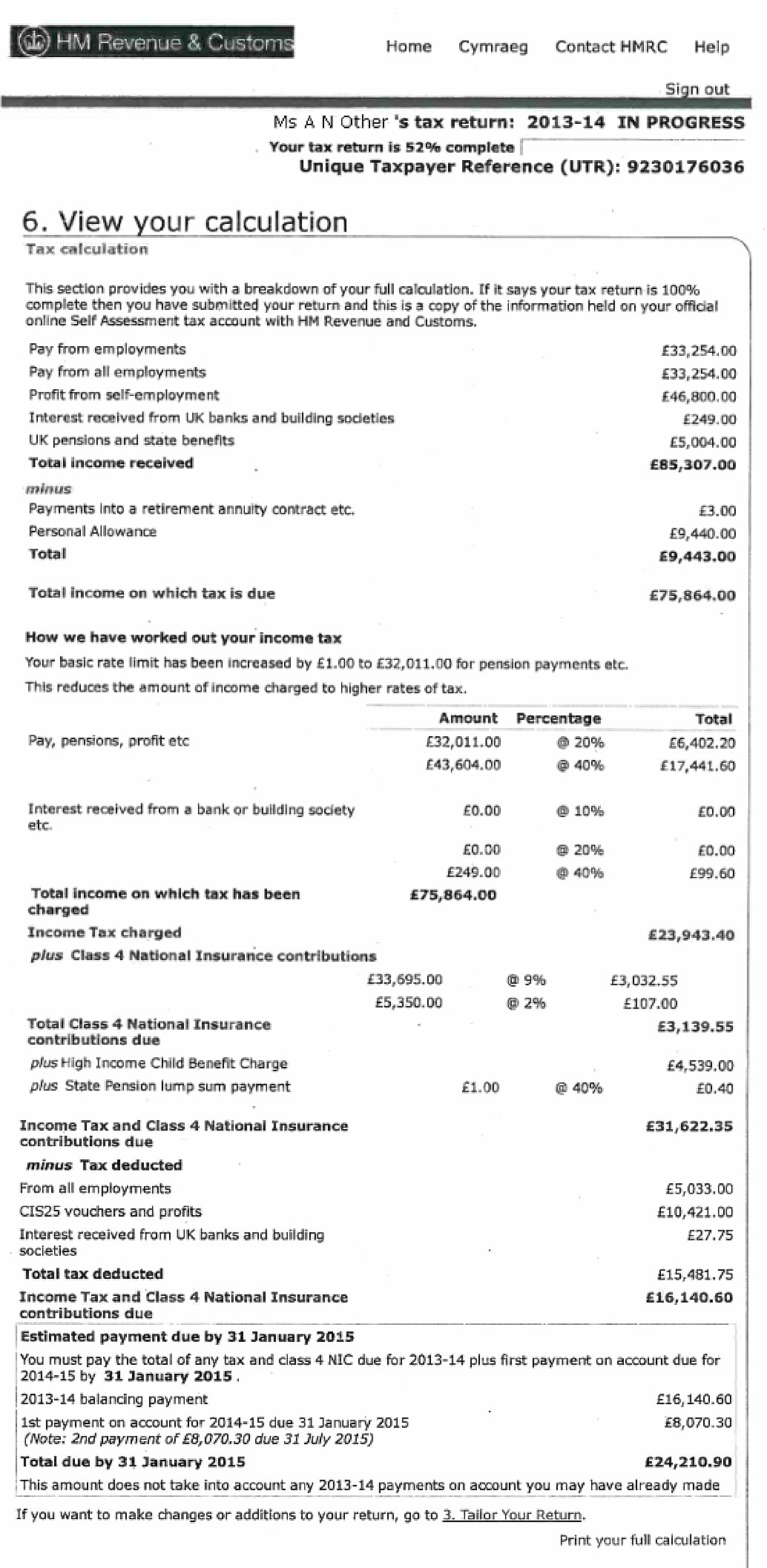
How to print your Tax Year Overview
Step by step:
- Sign in to your HMRC account - online.hmrc.gov.uk
- Choose the "Self Assessment" tab
- Click "Self Assessment Overview"
- Click "View account"
- Click "Tax years"
- Choose the tax year and click "Go"
- Click "Print your Tax Year Overview"
Repeat steps 5-7 for the other tax years. Remember that the Tax Year Overview can be printed 72 hours after you submit your tax return.
Tax Year Overview - online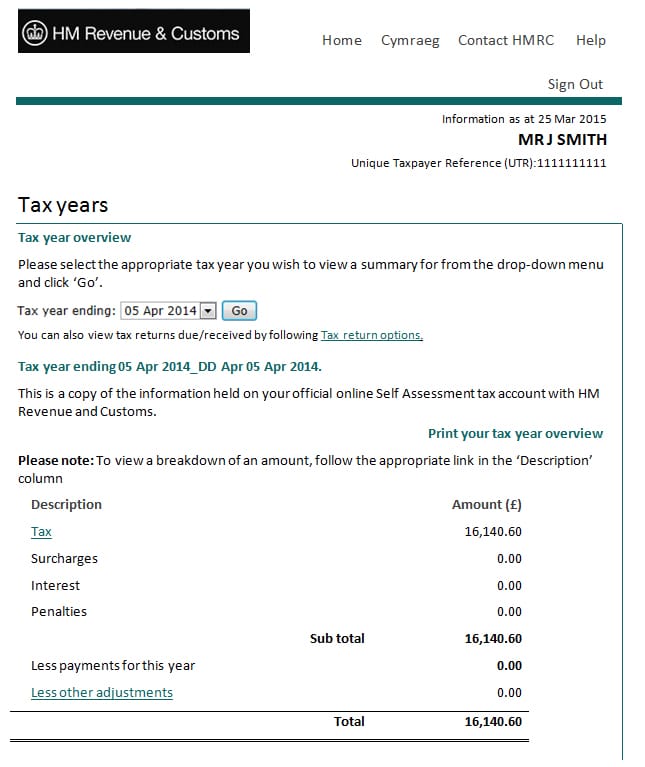
Tax Year Overview - by phone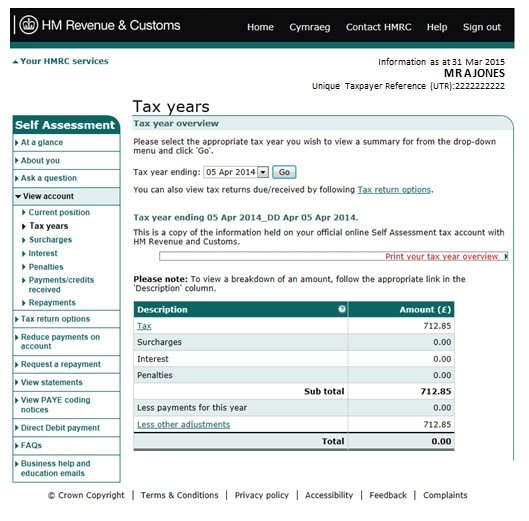
Important points
- The lender goes by the income on your tax return, not your business's turnover
- Limited company directors (with a shareholding of more than 25%) also need Company Accounts for the last 2 years
- An SA302 from accounting software must show your UTR number, your full name and the tax year
- The Tax Year Overview must always come from the HMRC website (not from accounting software)
Need help with your documents?
If you have questions about the documents you need, or you want to check how much you can borrow, get in touch. We will help you at every stage.

Dariusz Karpowicz
Director & Mortgage Adviser
Dariusz is a seasoned adviser with 15+ years in financial services. He founded Albion Financial Advice after gaining experience with established brokers, and has helped over 5,000 clients secure their ideal mortgage and protection solutions.
Thinking about your next move? Message us on WhatsApp
Get personal, no-obligation mortgage advice from our FCA-regulated team. We reply fastest on WhatsApp.
We reply fastest on WhatsApp, message us anytime.